
Call management app CRM : Complete Guide | MemoCallPro
For solo entrepreneurs, independent consultants, tradespeople, and small business owners, the telephone remains the primary engine of daily business. Inbound inquiries, quote requests, appointment bookings, and emergency service calls all happen over regular mobile phone conversations.
Yet standard smartphones are poorly equipped for professional communication. When a client calls, the native phone dialer displays only a bare phone number or a name. It cannot tell you what you discussed two weeks ago, what budget was quoted, or what follow-up was promised. Hastily scribbled notes on scrap paper get lost, appointments slip through the cracks, and valuable prospects turn cold.
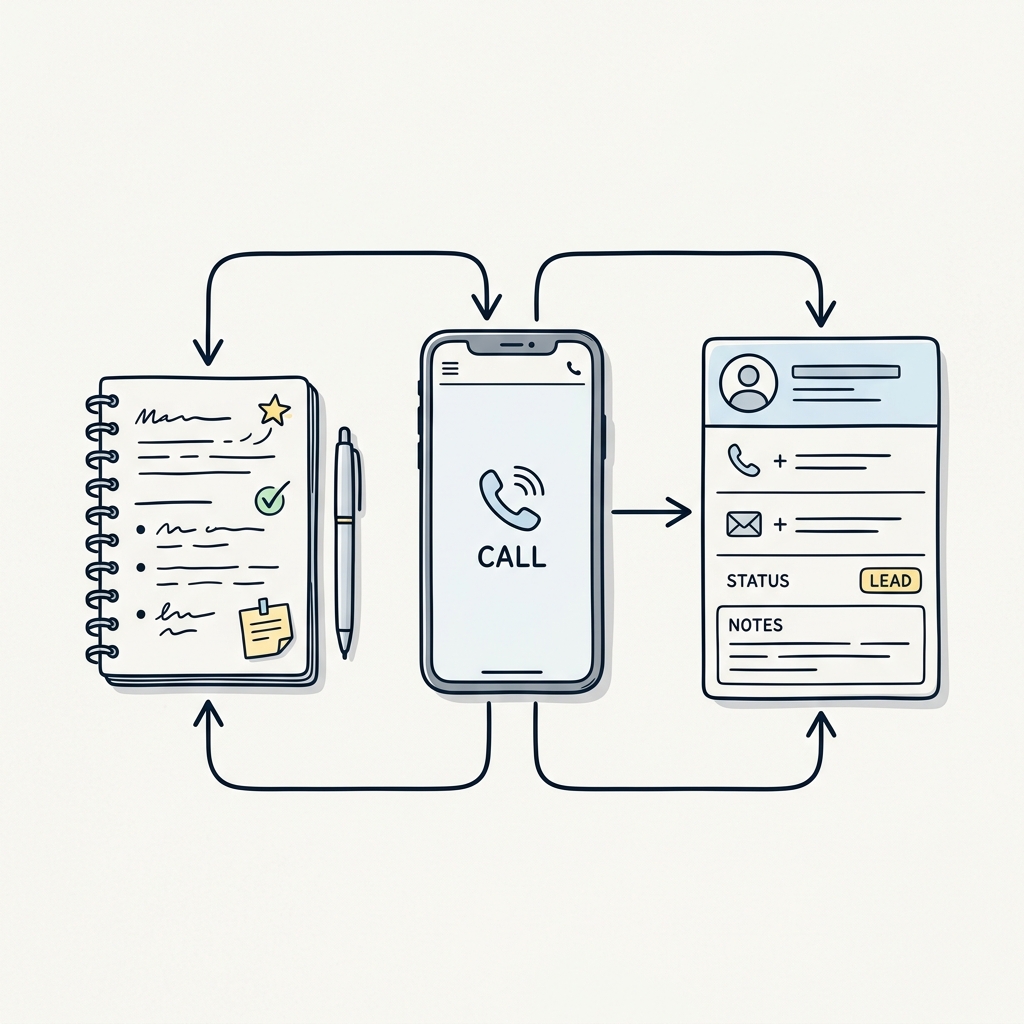
This is the exact operational gap filled by a call management CRM app. Rather than forcing you into a bloated, desktop-centric software system, a mobile call CRM attaches customer intelligence directly to your everyday phone calls—delivering caller context, in-call note-taking, instant scheduling, and automated follow-ups right on your smartphone.
What Is a Call Management CRM App?
A call management CRM app is a mobile-first software tool designed to bridge two critical business functions: your standard cellular phone calls and your customer relationship records.
Unlike enterprise customer relationship management platforms that center on corporate pipelines, deal stages, and mass email sequences, a call management app focuses on the lifecycle of individual phone conversations:
- Before the call: Identifying incoming callers and displaying past notes, status tags, and open tasks before you even say hello.
- During the call: Allowing you to check your calendar, book an appointment, and jot down bullet points without fumbling between multiple apps.
- After the call: Prompting you to save structured call notes, send an instant SMS confirmation, and schedule a future follow-up reminder.
Call Management vs. Marketing Call Tracking: An Important Distinction
It is helpful to clarify what a call management CRM app is not. In digital marketing, “call tracking” often refers to attribution platforms (such as CallRail or Ringba) that dynamically swap phone numbers on websites to measure which Google or Facebook ad generated a phone lead.
In contrast, a call management CRM app is an operational relationship tool. It operates on your actual business smartphone, working with your standard cellular number and mobile carrier to help you serve, organize, and retain the clients who call you every day.
How a Call Management CRM Works: Before, During, and After Every Call
To understand the practical value of a call management CRM app, consider how information flows through the four distinct phases of a professional telephone exchange.
[ 1. Incoming Ring ] ────────▶ [ 2. Live Conversation ] ────────▶ [ 3. Call Wrap-Up ] ────────▶ [ 4. Desk Review ]
Screen overlay displays       In-call calendar view &         Prompt to save call notes       Local Wi-Fi PC Server
caller context & past notes   appointment booking             & dispatch SMS confirmation     Full keyboard note typing
1. Before the Call (Instant Caller Context)
- What the app does automatically: When your Android phone rings, the app queries its local contact database. If the number matches an existing record, it launches a floating screen overlay above the incoming call screen.
- What you see: The caller’s name, company, custom tags (e.g.,
#ActiveClient,#RenovationQuote), and the notes from your last conversation. You answer the call fully briefed, even if you have not spoken to the person in six months.
2. During the Call (Live Notes & In-Call Scheduling)
- What you do manually: While speaking on speakerphone, via Bluetooth in your vehicle, or through a headset, you can tap the overlay to access quick actions.
- What the app enables: You can open your connected calendar directly within the call interface to check availability for next Tuesday. You select a time slot and confirm the booking with the caller without placing them on hold or switching between conflicting apps.
3. Immediately After the Call (Wrap-Up & SMS Confirmation)
- What the app does automatically: As soon as you hang up, the app presents a lightweight wrap-up dialog with the call duration and timestamp logged.
- What you do manually: You type or dictate two or three bullet points summarizing the agreed next steps. If an appointment was booked, you tap once to generate a pre-formatted SMS confirmation with the date, time, and address, sending it directly through your phone’s native SMS plan.
4. Back at Your Desk (PC Management via Local Wi-Fi)
- What you do: Typing extensive meeting notes on a mobile touchscreen is inconvenient after a long day of calls. Using a tool like MemoCallPro, you can launch its built-in PC Web Server. By entering a private local IP address into your desktop browser, you can view your contact list, review daily call logs, and type detailed notes using your full physical computer keyboard—all over your local Wi-Fi network without third-party cloud storage.
A Realistic Scenario: Managing an Inbound Service Call
To see this workflow in practice, consider an illustrative example of an independent home electrical contractor named Alex.
The Situation
Alex is on a job site completing a panel installation when his phone rings from an unrecognized mobile number.
- The Ring: Because Alex added the homeowner, Sarah, two weeks earlier when she first inquired about an EV charger installation, MemoCallPro recognizes the number. An overlay card appears: Sarah Jenkins — #Prospect #EVCharger — Note: Quoted 240V panel upgrade on May 12th; waiting for permit approval.
- The Greeting: Alex answers with immediate confidence: “Hello Sarah! Good to hear from you. Did the town approve your permit for the charger?” Sarah is immediately impressed that Alex remembered her specific situation without asking her to repeat her address or project scope.
- The In-Call Booking: Sarah confirms the permit arrived and asks when Alex can install the unit. Alex taps the in-call calendar button, views his upcoming Thursday afternoon opening, and agrees on 2:00 PM.
- The Wrap-Up & SMS: Alex hangs up. A wrap-up window prompts him. He enters: “Permit approved. Scheduled charger install Thursday 2 PM. Needs 50A breaker.” He taps “Send SMS Confirmation.” An SMS pre-populated with “Hi Sarah, confirming our appointment for Thursday at 2:00 PM at your address. Best, Alex” is queued and sent through his cellular plan.
- The Follow-Up Anchor: Alex tags the contact as
#BookedJoband schedules a reminder for Wednesday afternoon to confirm materials.
When Sarah calls three months later for an inspection question, Alex will once again see the complete chronological history of her installation the moment his phone rings.
Core Features of a Dedicated Call Management CRM App
When evaluating a mobile call CRM, look for five foundational capabilities designed for high-velocity phone interactions:
1. In-Call Caller Context & Floating Notes Overlay
- The Problem: Standard phone address books only store static contact fields. They cannot show you conversational context in real time.
- How It Works: On Android, apps with system overlay permissions can render an unobtrusive floating card over the active phone interface. To learn more about setting up this workflow, read our detailed guide on how to take and view phone call notes on Android.
- Daily Benefit: You eliminate awkward moments of asking repeat clients “Remind me what we spoke about last time?”
- Technical Limit: System overlay capabilities depend on Android operating system permissions (
Display over other apps). They are not supported in the same way on iOS due to Apple’s strict background sandbox restrictions.
2. In-Call Appointment Booking
- The Problem: Booking an appointment while on a phone call usually requires putting the client on hold, navigating to a calendar app, checking dates, and then switching back to the phone screen.
- How It Works: A dedicated call management app integrates an agenda launcher directly into the active calling interface, connecting to your local or system calendar.
- Daily Benefit: You secure firm commitments immediately while the prospect is on the line, preventing the back-and-forth email tag that leads to lost bookings.
3. Post-Call SMS Confirmation & Templates
- The Problem: Forgetting to send an appointment confirmation leads to no-shows and client confusion. Manually retyping appointment dates into a text message takes precious time.
- How It Works: After an appointment is scheduled during or after a call, the app pre-fills a customizable SMS template with the contact’s name, scheduled date, and time. With one click, the message is dispatched through your phone carrier.
- Daily Benefit: Client no-show rates drop significantly when appointments are confirmed immediately in writing via text.
4. Smart Contact Organization: Tags, Filters & Full-Text Search
- The Problem: Mixing hundreds of temporary business contacts, sub-contractors, leads, and suppliers into your personal phone contacts clutters your address book and makes searching impossible.
- How It Works: The app allows you to categorize contacts with custom tags (such as
#Prospect,#ActiveContract,#VIP, or#Supplier). You can filter by tag or search by keywords inside call notes (e.g., searching “air conditioning repair” pulls up every contact where that term was discussed). - Daily Benefit: Your customer base remains organized and easily segmentable for follow-up campaigns.
5. Local Data Storage & Browser Management via Local Wi-Fi
- The Problem: Storing sensitive client notes, contact numbers, and project details in US-based public cloud servers creates privacy concerns and GDPR compliance friction for medical, legal, and financial professionals.
- How It Works: MemoCallPro operates on a Local-First architecture. Your database lives on your physical smartphone. When you want to work on a large screen, your phone starts a local Wi-Fi web server. You connect your computer’s browser directly to your phone’s local network IP address, allowing you to view and type notes with a full physical keyboard.
- Daily Benefit: You enjoy desktop ergonomics without paying cloud hosting fees or transferring your client address book to third-party servers.
Comparing the Options: Native Phone, Enterprise CRM, VoIP & Mobile Call CRM
To make an informed decision, compare the four primary ways small businesses handle telephone communications:
| Evaluation Criteria | Native Phone & Contacts App | Generalist Cloud CRM (HubSpot, Zoho) | Cloud VoIP Software (Aircall, Ringover) | Mobile Call Management CRM (MemoCallPro) |
|---|---|---|---|---|
| Best Suited For | Casual personal calling | Corporate sales teams with desktop reps | Office teams needing virtual numbers & PBX routing | Solo pros, trades, consultants & mobile SMBs |
| Call Context at Ringing | Name & number only | Requires mobile CRM app open | Softphone pop-up on PC | Automatic floating screen overlay on Android |
| In-Call Notes & Calendar | No | Basic mobile notes; slow navigation | Yes, on desktop softphone | One-tap in-call note overlay & agenda view |
| Appointment SMS Confirm | Manual text message | Requires paid SMS integration add-on | Depends on VoIP plan & API | One-tap native SMS dispatch via phone plan |
| Works with Cellular Calls | Yes | No (requires VoIP dialer or call logging prompt) | No (requires VoIP/SIP internet connection) | Yes (Works with standard mobile SIM calls) |
| Desktop / PC Management | None | Full desktop web interface | Full desktop web application | Local PC Web Server over Wi-Fi (No cloud) |
| Data Privacy & Storage | Google/Apple cloud sync | Multi-tenant public cloud | Hosted telecom cloud servers | 100% Local on Android device (Zero cloud) |
| Starting Cost | Free (built into phone) | €30 to €100+ / user / month | €30 to €50+ / user / month | €2.80 / month (or one-time access) |
For a broader breakdown of alternative mobile tools and features, you can explore our comprehensive analysis of the best call management apps for Android.
Step-by-Step Method: Structuring Your Call Management Routine
Adopting a call management CRM app does not require overhauling your business habits. Follow this practical 5-step implementation guide:
Step 1: Install and Set Up Core Permissions
Install the app on your Android smartphone. Grant the necessary system permissions:
- Phone and Call Log permissions: Required to detect incoming phone numbers and log call timestamps.
- Display over other apps (Overlay): Required to show your client notes bubble during incoming and active calls.
- Contacts permission: Required to match incoming numbers with your existing client records.
Step 2: Define a Simple, Consistent Tagging System
Avoid creating dozens of confusing categories. Start with 4 to 6 functional tags that reflect your operational pipeline:
#Lead_New— A prospective client who called but has not yet received a quote.#Quote_Sent— A prospect with an active proposal awaiting a decision.#Active_Client— A paying client with an ongoing project.#Follow_Up— Any contact requiring a proactive callback next week.
Step 3: Log Your First Call Note
During or immediately after your next business call, open the note window. Capture three specific pieces of information:
- The Goal: What was the reason for the call?
- Key Details: Specific constraints, budget figures, or personal rapport details.
- Next Action: What was agreed upon, and who owns the next step?
Step 4: Book the Appointment and Trigger SMS Confirmation
If the conversation results in an appointment, use the in-call calendar picker to select the agreed date. Before ending the exchange, verify the client’s mobile number and dispatch the automated confirmation SMS template so the meeting is locked into both parties’ schedules.
Step 5: Conduct a 10-Minute Weekly Review
At the end of each week, connect your PC browser to MemoCallPro via your local Wi-Fi. Filter your contacts by #Quote_Sent or #Follow_Up. Review all scheduled reminders for the upcoming week and adjust your agenda, ensuring no prospective deal gets forgotten.
Pricing and Return on Investment (ROI): The Real Math
When evaluating software investments, small businesses should distinguish between three economic factors: software subscription expense, time saved, and prevented revenue loss.
The Expense Baseline
Traditional cloud CRMs and VoIP dialers typically charge between €30 and €80 per user per month. Over a year, a solo practitioner spends €360 to €960 annually on software licenses, often using less than 15% of the platform’s complex features.
In contrast, a focused call management CRM like MemoCallPro is priced at €2.80 per month (approximately €33.60 per year).
Calculating Time Savings
Consider the daily administrative friction of customer phone calls:
- Searching through text threads or paper notebooks for past project details: ~5 minutes per call.
- Manually typing follow-up SMS messages and calendar entries: ~3 minutes per call.
- Across 5 client calls per day, this represents 40 minutes of daily administrative friction.
By surfacing caller context automatically and providing one-tap in-call booking and SMS confirmations, an integrated call manager saves approximately 20 to 25 minutes each working day. Over a month, that represents over 8 hours of reclaimed billable time.
Calculating Revenue Protection
The greatest return on investment comes from preventing forgotten callbacks. If your average client job represents €300 in gross revenue with a 40% operating margin (€120 profit):
- Saving a single client inquiry per year that would have otherwise slipped through the cracks yields €120 in net profit.
- Against an annual tool cost of €33.60, the application delivers a 350% net return on investment from a single preserved customer interaction.
When Is MemoCallPro the Right Choice (and What Are Its Limits)?
Honest software evaluation requires understanding where a tool excels and where alternative architectures are better suited.
Ideal Use Cases for MemoCallPro
- Solo Operators & Small Teams: Independent artisans, medical and legal professionals, freelance consultants, real estate agents, and local service providers who conduct business on their mobile phones.
- Privacy-Conscious Businesses: Professionals bound by strict confidentiality (attorneys, healthcare practitioners, financial advisers) who cannot store client notes on third-party cloud servers.
- Standard Cellular Users: Anyone who uses regular SIM card cellular calling rather than virtual VoIP softphones.
- Budget-Conscious Owners: Businesses that want high operational efficiency without taking on hefty monthly software subscriptions.
Important Limitations to Keep in Mind
- Android-Only Focus: Because iOS restricts third-party apps from displaying floating overlays over native call screens, MemoCallPro is built specifically for the Android ecosystem.
- No Multi-User Cloud Pipeline: MemoCallPro is not an enterprise multi-seat CRM with shared team pipelines, deal stage Kanban boards, or automated marketing drip sequences. If you have a 20-person outbound sales floor, an enterprise platform like HubSpot or Salesforce is required.
- No Audio Recording or AI Speech-to-Text: The app does not record telephone audio or transcribe voice calls. It is designed for structured, private note-taking and operational relationship tracking.
Frequently Asked Questions
What makes a call management CRM app different from a basic phone contact list?
A basic contact list only stores phone numbers and names. A call management CRM app transforms that list into an active business tool: it logs chronological interaction history, displays past discussion notes on your screen during incoming calls, integrates calendar booking during the call, and sets follow-up reminder alarms.
Can I use a call management app with my regular phone number?
Yes. Unlike VoIP apps (such as Aircall or RingCentral) that require virtual numbers and high-speed internet connections, MemoCallPro works natively with your regular Android smartphone, your physical SIM card, and your standard carrier calling plan.
How does the PC Web Server feature work without cloud storage?
MemoCallPro includes a lightweight, secure web server built directly into the Android application. When activated, your phone generates a private local IP address (e.g., 192.168.1.45:8080). As long as your computer is connected to the same local Wi-Fi network, you can type that address into any web browser to view, search, and type notes directly into your phone database. No data is ever sent to or stored on an external cloud server.
How does in-call scheduling prevent double-booking?
The in-call calendar tool connects directly to your device’s primary calendar service (such as Google Calendar). When you tap to book during an active call, you see your real-time schedule, allowing you to select an open slot with complete confidence before confirming with the caller.
Is my client data backed up if I lose my phone?
Yes. MemoCallPro provides full local backup and export capabilities. You can export your entire contact database and call history to standard formats (such as encrypted backups or CSV files) to store safely on your computer or local storage device.
Ready to streamline your customer calls, protect your client data, and never miss an important follow-up? Discover how MemoCallPro turns your Android smartphone into an efficient, privacy-first call management CRM.